Until nowSlips you can't read, crumpled or lost.
With TasklyEvery job saved neatly – found in seconds.
Search by name, phone number, job number, device or number plate – even months later. With photos, signature and history.
Log a job on your tablet or phone in a minute. The customer signs with a finger – and is told automatically when everything is ready.
No credit card · up and running in 2 minutes · ends automatically
First, see what it looks like Already have an account? Log in
Until nowSlips you can't read, crumpled or lost.
Search by name, phone number, job number, device or number plate – even months later. With photos, signature and history.
Until now“Is my phone ready yet?” – calls all day long.
One tap on “Ready” and the “ready for pick-up” message goes out by email. With their link, the customer can check the status any time.
Until nowDisputes because nobody signed.
On the tablet or via QR code on their own phone – after reading your terms. The signature appears on the printout and the PDF.
No credit card · up and running in 2 minutes · ends automatically
Name, business, email, password – that's all. No credit card, done in two minutes.
Choose your industry – Taskly sets up the right template. Enter the customer and the job: by keyboard, dictation or a photo of the rating plate.
With a finger on the tablet or on their phone. They get the work order by email – and you have it safely stored.
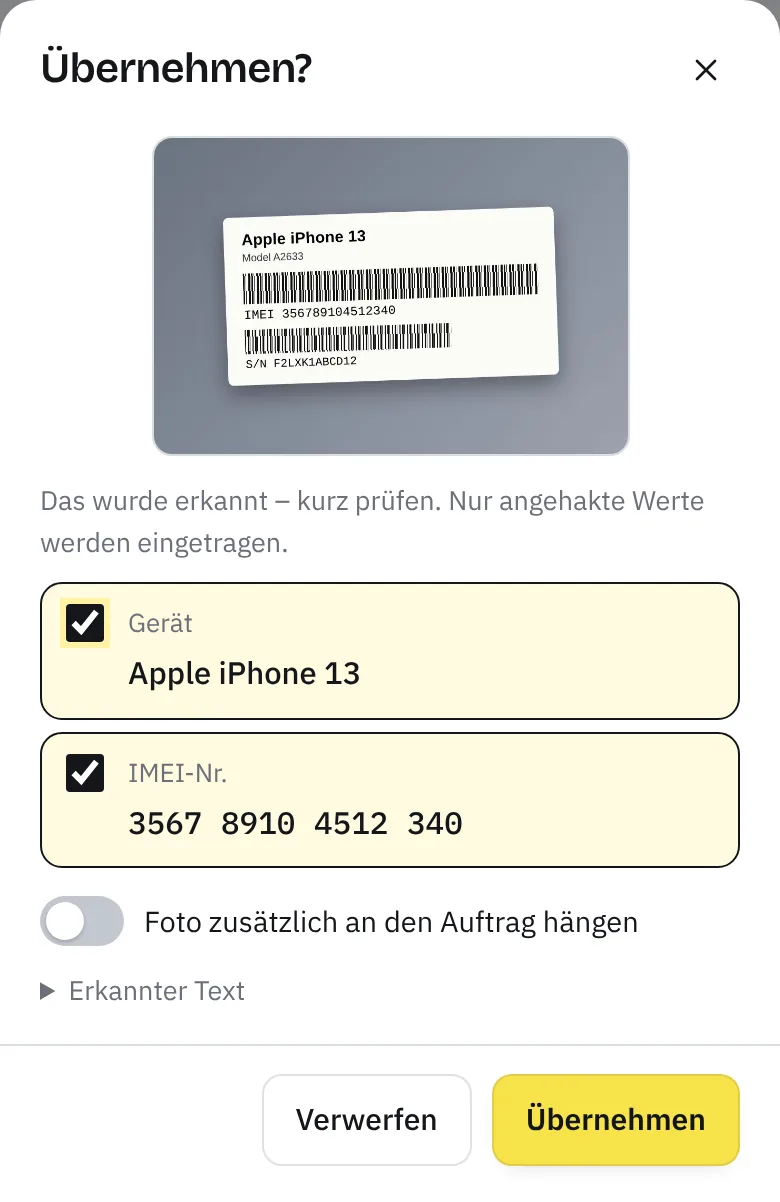
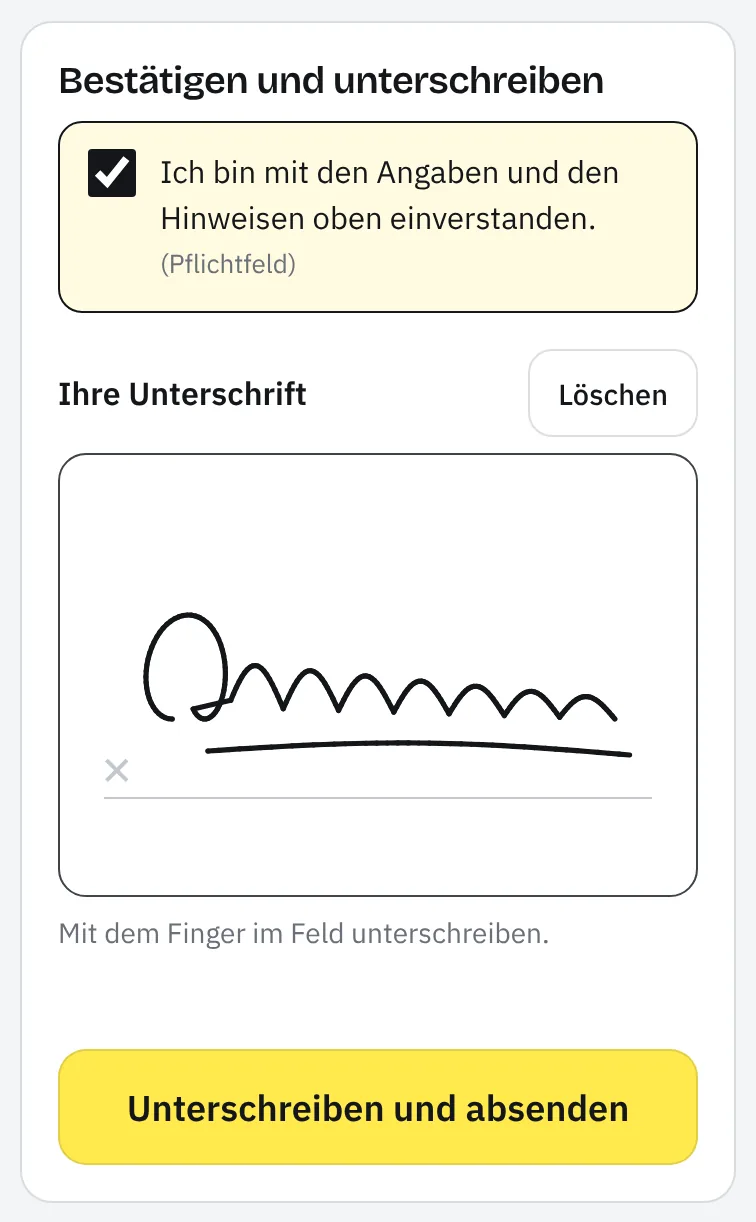
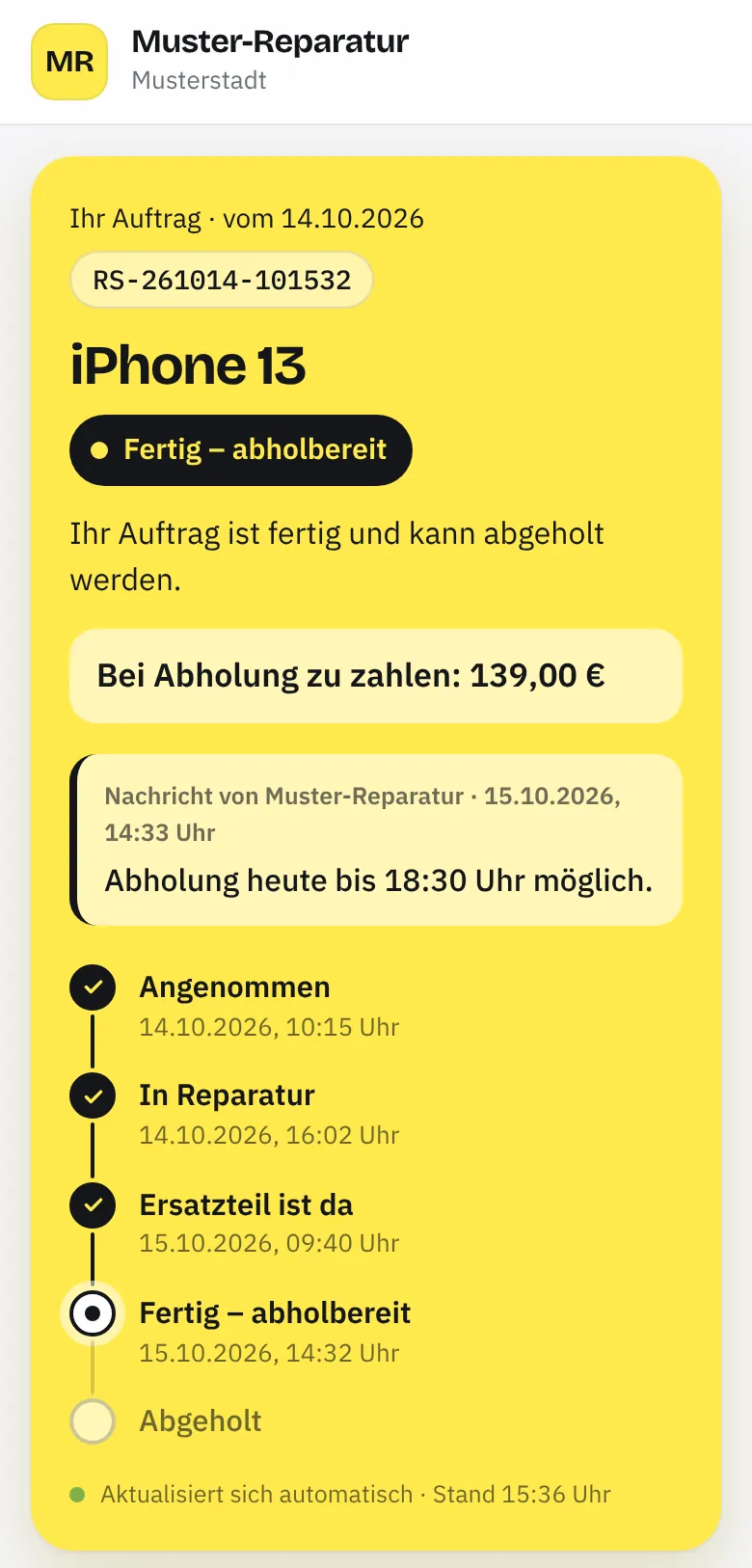
No credit card · up and running in 2 minutes · ends automatically
16 templates – from the repair slip in a phone shop to the job record in the trades. Each one can be adapted. See all industries · Printable templates
€19 a month incl. VAT · one plan, everything included · cancel monthly · the first 30 days free Price per business, not per employee. For businesses only (B2B). Pricing in detail
Try it free for 30 daysTaskly costs €19 a month incl. 19% VAT per business – one plan with all features, cancel monthly. If you pay annually, it's €190 a year – 2 months free – 17% cheaper; you pay the 12 months in advance. You try it free for 30 days with no credit card; the trial ends automatically and nothing is charged. After that, your data stays readable and exportable – to keep working, you take out the subscription. Full details are on the Pricing page.
The database and files are stored in data centres in the EU; the data processing agreement under Art. 28 GDPR is part of signing up. Every business is strictly separated, all connections are encrypted, and we only store passwords as a secure hash – with two-factor login if you want it. Your data is never used to train AI, and there is no tracking in the app. We may only look inside your account if you ask for help or if a fault or security requires it: read-only, for an hour at most, and logged.
No. Taskly runs in the browser – on the tablet, phone or PC you already have, with nothing to install. If you like, you can put Taskly on your home screen as an app – with its own icon and in full screen (here's how). Customers can also sign via QR code on their own phone. You can print on any printer your device knows – or save as a PDF.
Simply start with your next job – old slips stay in the folder. The first time you open Taskly you choose your industry, and Taskly sets up the right template; in the template builder you adapt it to the slip you use today. Your customer records fill up by themselves as you work. Importing customer lists from other programs isn't available in the app yet – if you have questions about switching, we'll help you personally via Contact.
You don't need to cancel the trial – it ends by itself after 30 days and nothing is charged. You can cancel a subscription at any time in Taskly under Settings → Plan & billing, effective at the end of the current month. Without a subscription Taskly is read-only: work orders, customers and invoices stay visible and can be exported – as a file and as an Excel spreadsheet. You can delete the business with all its data yourself at any time.
Any other questions? Write to us or ask for a call back – we answer personally.
30 days of every feature, no credit card. The trial ends automatically – nothing is charged.
Daniel Erochok Developer of Taskly
Then I'll build you the solution that fits exactly – a website, automation or a custom tool for your business.